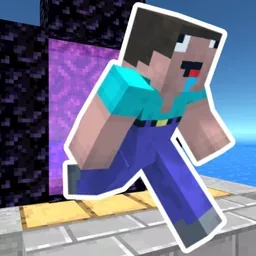
Noob Steve
Play Noob Steve online free in your browser on WASM Arcade Pro. Instant casual action with relaxing yet rewarding skill mastery — no downloads.
- Platform
- Browser (HTML5 / WebGL)
- Category
- Casual
- Access
- Free · No Download
Ready
Instant browser play
About Noob Steve
Play Noob Steve directly on WASM Arcade Pro whenever you want a quick or extended casual session. Its core loop centers on relaxing yet rewarding skill mastery, letting you test your timing and strategy right in your web browser.
Browse more titles in our Casual Web Games hub or explore the full Web Games Library.
Controls & How to Play
Mouse click, drag, or Spacebar/Arrow keys for instant pick-up-and-play controls.
- Use the Fullscreen button below the viewport for an expanded view.
- Press Esc at any time to exit fullscreen mode cleanly.
Casual Gameplay Tips
- Use short warm-up runs to get a feel for physics and timing.
- Focus on clean accuracy over rushing in the opening rounds.
- Watch for streak bonuses that multiply your score quickly.
Frequently Asked Questions
How do I play Noob Steve online?
Click the Play button above to load Noob Steve directly inside your browser. Mouse click, drag, or Spacebar/Arrow keys for instant pick-up-and-play controls.
Is Noob Steve free with no download required?
Yes. Noob Steve runs 100% free in modern browsers (Chrome, Edge, Firefox, Safari) with zero downloads, installers, or registration.
Can I play Noob Steve on a school Chromebook or mobile device?
Noob Steve runs inside a standard web viewport and works smoothly on Chromebooks, Windows, macOS, and supported touch devices.