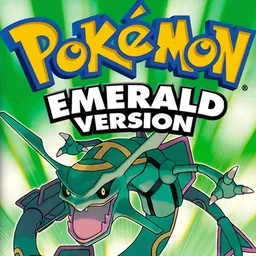
Pokemon Emerald
Play Pokemon Emerald online free in your browser on WASM Arcade Pro. Instant adventure action with exploration, inventory clues, and environmental...
- Platform
- Browser (HTML5 / WebGL)
- Category
- Adventure
- Access
- Free · No Download
Ready
Instant browser play
About Pokemon Emerald
Pokemon Emerald brings fast, responsive adventure gameplay straight to your desktop or Chromebook browser without requiring installers, plugins, or account sign-ups. Built around exploration, inventory clues, and environmental progression, each session starts in seconds inside a clean, distraction-free arcade viewport.
Browse more titles in our Adventure Web Games hub or explore the full Web Games Library.
Controls & How to Play
WASD or Arrow keys to explore; E, Space, or Mouse click to interact and collect items.
- Use the Fullscreen button below the viewport for an expanded view.
- Press Esc at any time to exit fullscreen mode cleanly.
Adventure Gameplay Tips
- Inspect every corner of a new zone for keys, switches, or upgrade hints.
- Combine clues from earlier rooms before backtracking.
- Conserve healing or special items for boss encounters.
Frequently Asked Questions
How do I play Pokemon Emerald online?
Click the Play button above to load Pokemon Emerald directly inside your browser. WASD or Arrow keys to explore; E, Space, or Mouse click to interact and collect items.
Is Pokemon Emerald free with no download required?
Yes. Pokemon Emerald runs 100% free in modern browsers (Chrome, Edge, Firefox, Safari) with zero downloads, installers, or registration.
Can I play Pokemon Emerald on a school Chromebook or mobile device?
Pokemon Emerald runs inside a standard web viewport and works smoothly on Chromebooks, Windows, macOS, and supported touch devices.